Set Separate Due Dates for Posts and Replies in Canvas Discussions
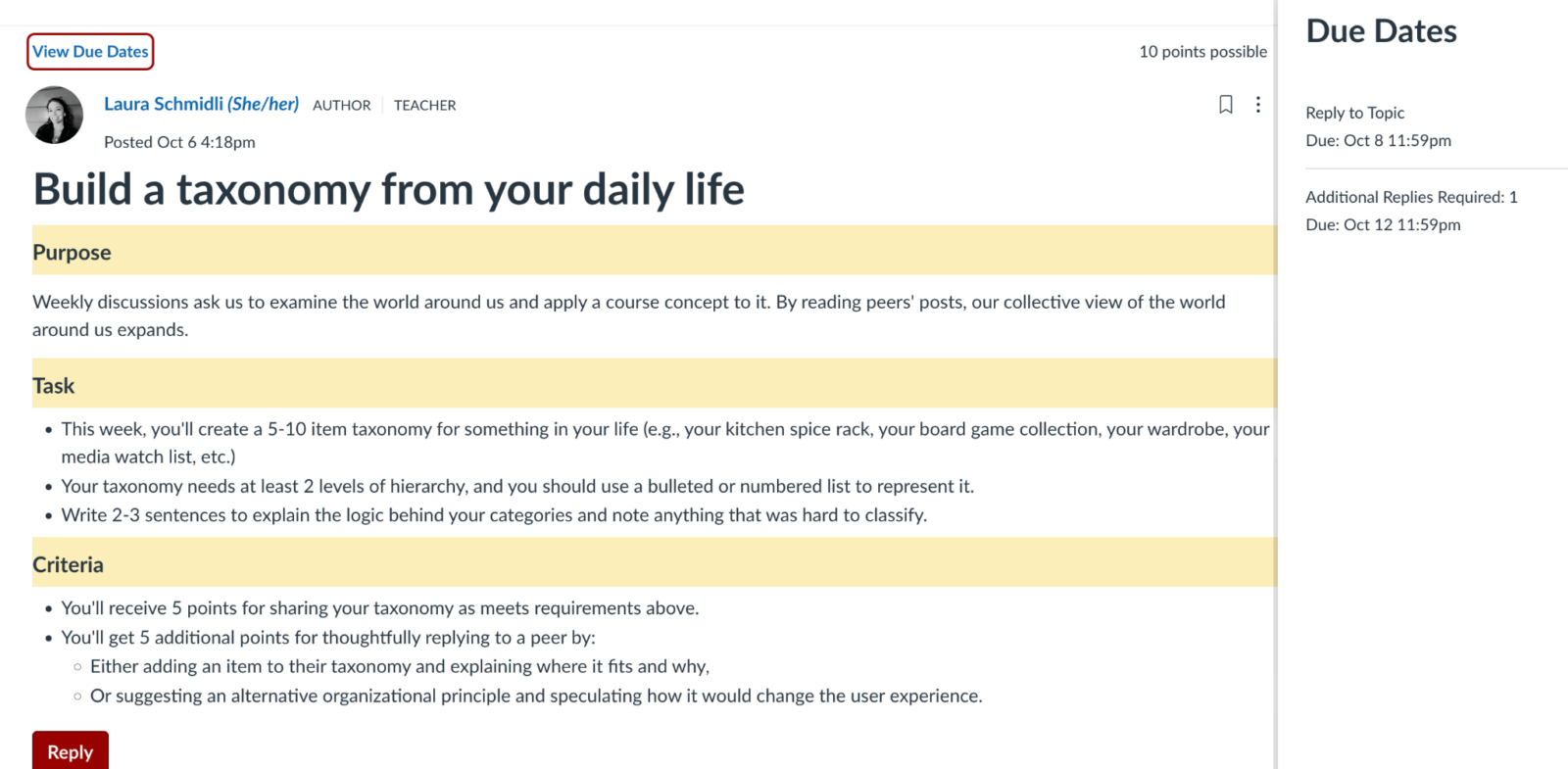
Did you know that instructors can set one due date for student posts to a Canvas Discussion, and a separate due date for student replies to their peers? In Canvas, this feature is called Discussion Checkpoints.
Using Discussion Checkpoints allows you to:
- Communicate clearly to students when posts and replies are due for graded discussions
- Specify a required number of replies to peers
- Indicate to students how points are allocated between posts and replies to peers
How To
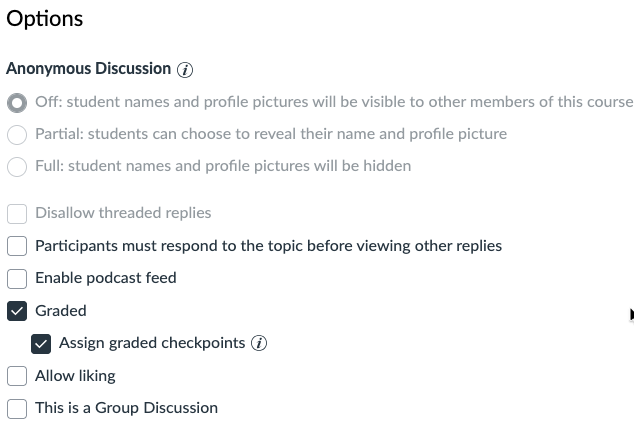
- In your Canvas Discussion under “Options”, check “Graded” and then “Assign graded checkpoints”.
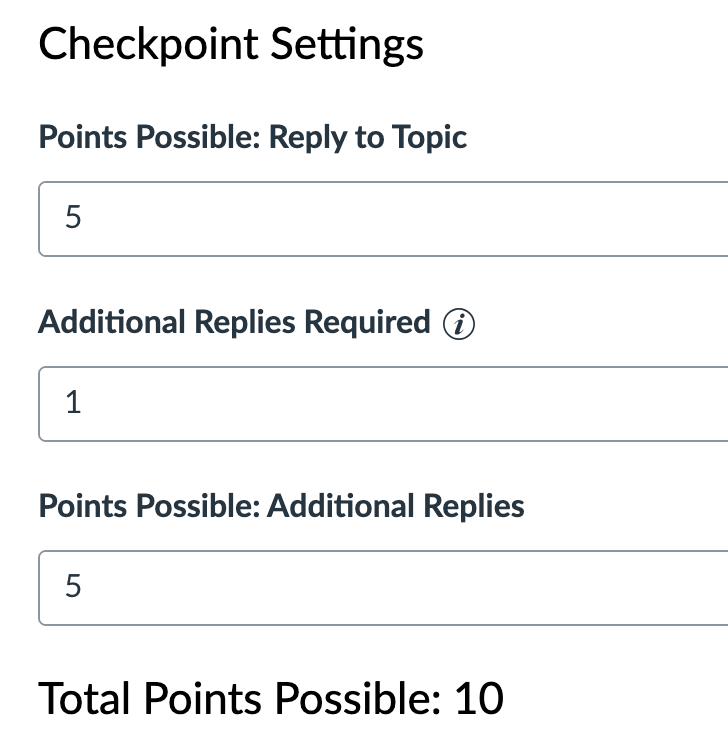
- Under “Checkpoint Settings” select how to allocate points for students’ initial reply to the topic, along with how many replies to peers are required and how many points each reply to a peer is worth. As you change how points are allocated, Canvas dynamically adjust the “total points possible” displayed below.
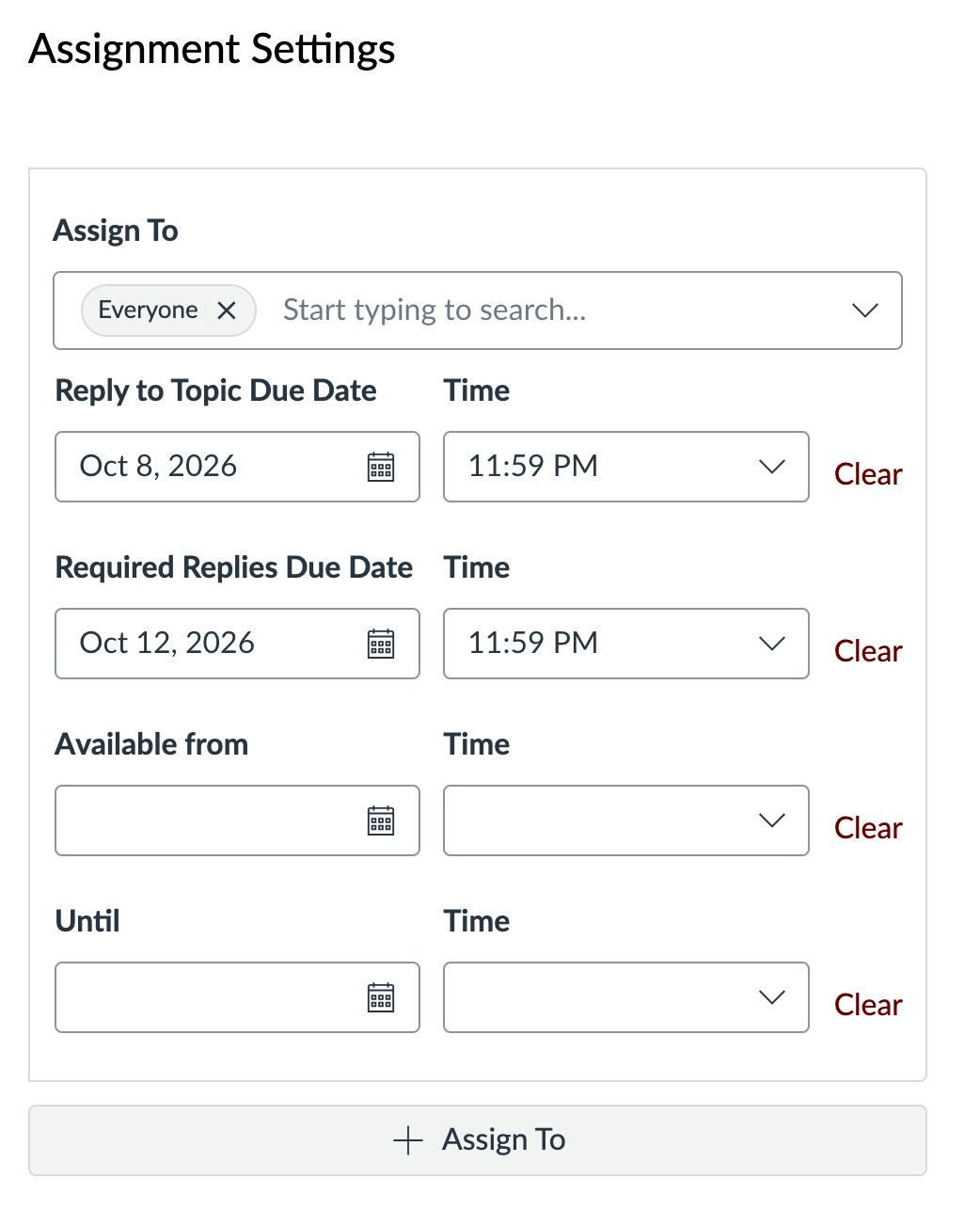
- Under “Assignment Settings” select a due date and time for students’ initial reply to the topic, plus a second (later) due date and time for students’ replies to peers.
- Save your discussion settings. Remember to “Save and publish” to make your Discussion visible to students.
See How do I create a graded discussion? from The Instructure Community for additional instructions.
Important note: Canvas does not automatically assign points to students based on completion. Instructors still need to manually assign points via Speedgrader for the Discussion. Speedgrader will display all initial posts and replies per student, allowing for more streamlined grading.
Did you know?
Once a month we feature simple tips for using Canvas and other tools more effectively. Ask us a question or share a tip of your own by email.
Recent Updates
Example
Instructor view of Discussion Checkpoints settings:
Student view of Discussion with Discussion Checkpoints configured: